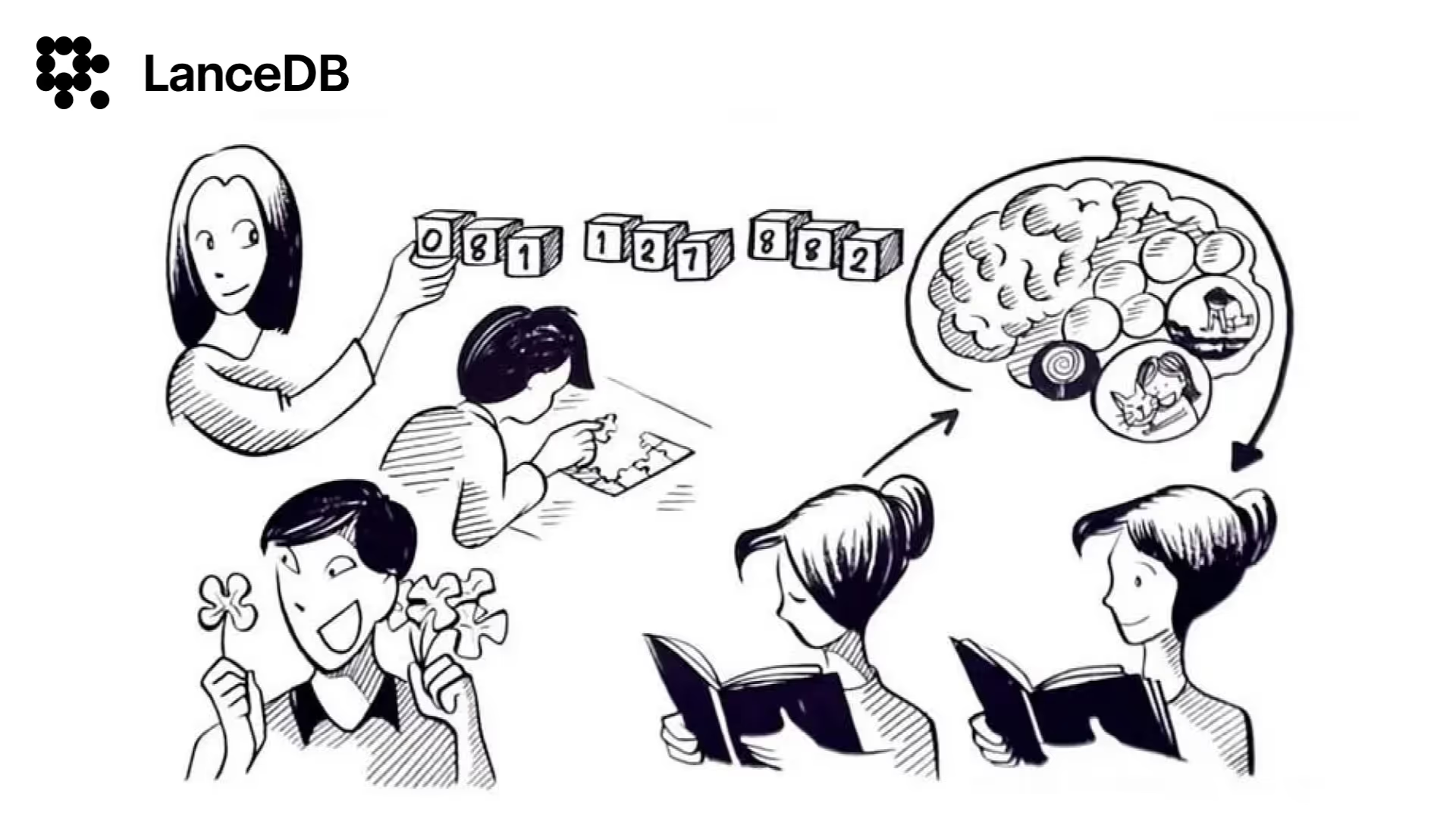
In our last blog, we talked about chunking and why it is necessary for processing data through LLMs. We covered some simple techniques to perform text chunking.
In this blog, we will comprehensively cover all the chunking techniques available in Langchain and LlamaIndex.
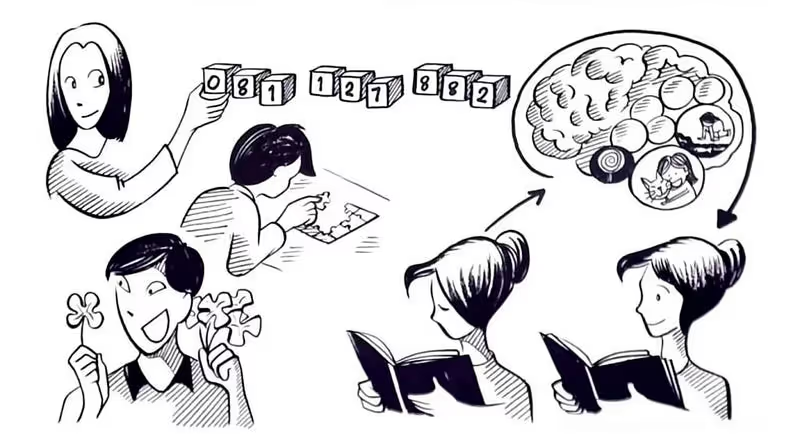
The aim is to get the data in a format where it can be used for anticipated tasks, and retrieved for value later. Rather than asking “How should I chunk my data?”, the actual question should be “What is the optimal way for me to pass data to my language model that it needs for its task?”
Let’s begin with Langchain first!
Chunking Techniques in Langchain

Before jumping into chunking, make sure to first install Langchain-text-splitters
pip install langchain-text-splittersThese snippets only cover the relevant sections of code. To follow along with the working code, use this Colab.
Text Character Splitting
This is the simplest method. This splits based on characters and measures chunk length by number of characters.
from langchain_text_splitters import CharacterTextSplitter

text_splitter = CharacterTextSplitter(
    separator="\n\n",
    chunk_size=1000,
    chunk_overlap=200,
    length_function=len,
    is_separator_regex=False,
)

texts = text_splitter.create_documents([state_of_the_union])
print(texts[0].page_content)
This outputs chunks with 1000 characters:
Madame Speaker, Vice President Biden, members of Congress, distinguished guests, and fellow Americans:

Our Constitution declares that from time to time, the president shall give to Congress information about the state of our union. For 220 years, our leaders have fulfilled this duty. They have done so during periods of prosperity and tranquility. And they have done so in the midst of war and depression; at moments of great strife and great struggle.
Recursive Character Splitting
This text splitter is the recommended one for generic text. It is parameterized by a list of characters. It tries to split them in order until the chunks are small enough. The default list is ["\n\n", "\n", " ", ""] . It includes overlapping text which helps build context between text splits.
# Recursive Split Character

# This is a long document we can split up.
with open("state_of_the_union.txt") as f:
    state_of_the_union = f.read()

from langchain_text_splitters import RecursiveCharacterTextSplitter

text_splitter = RecursiveCharacterTextSplitter(
    # Set a really small chunk size, just to show.
    chunk_size=1000,
    chunk_overlap=100,
    length_function=len,
    is_separator_regex=False,
)

texts = text_splitter.create_documents([state_of_the_union])
print("Chunk 2: ", texts[1].page_content)
print("Chunk 3: ", texts[2].page_content)
Here are Chunk 2 and Chunk 3 in output showing an overlap of 100 character:
Chunk 2:  It's tempting to look back on these moments and assume that our progress was inevitable, that America was always destined to succeed. But when the Union was turned back at Bull Run and the Allies first landed at Omaha Beach, victory was very much in doubt. When the market crashed on Black Tuesday and civil rights marchers were beaten on Bloody Sunday, the future was anything but certain. These were times that tested the courage of our convictions and the strength of our union. And despite all our divisions and disagreements, our hesitations and our fears, America prevailed because we chose to move forward as one nation and one people.

Again, we are tested. And again, we must answer history's call.

Chunk 3:  Again, we are tested. And again, we must answer history's call.
One year ago, I took office amid two wars, an economy rocked by severe recession, a financial system on the verge of collapse and a government deeply in debt. Experts from across the political spectrum warned that if we did not act, we might face a second depression. So we acted immediately and aggressively. And one year later, the worst of the storm has passed.

But the devastation remains. One in 10 Americans still cannot find work. Many businesses have shuttered. Home values have declined. Small towns and rural communities have been hit especially hard. For those who had already known poverty, life has become that much harder.
This recession has also compounded the burdens that America's families have been dealing with for decades -- the burden of working harder and longer for less, of being unable to save enough to retire or help kids with college.
HTML Section Splitter
HTML Section Splitter is a “structure-aware” chunker that splits text at the element level and adds metadata for each header “relevant” to any given chunk.
url = "https://www.utoronto.ca/"

# Send a GET request to the URL
response = requests.get(url)
if response.status_code == 200:
    html_doc = response.text

headers_to_split_on = [
    ("h1", "Header 1"),
    ("p", "paragraph")
]

html_splitter = HTMLHeaderTextSplitter(headers_to_split_on=headers_to_split_on)
html_header_splits = html_splitter.split_text(html_doc)
html_header_splits[0].page_content
This outputs the HTML Header element:
Welcome to University of TorontoCode Splitter
CodeTextSplitter allows you to split your code with multiple languages supported. Supported Languages are Python, JS, TS, C, Markdown, Latex, HTML, and Solidity.
    from langchain_text_splitters import Language, RecursiveCharacterTextSplitter

    with open("code.py") as f:
        code = f.read()

    python_splitter = RecursiveCharacterTextSplitter.from_language(
        language=Language.PYTHON, chunk_size=100, chunk_overlap=0
    )
    python_docs = python_splitter.create_documents([code])
    python_docs[0].page_content
This splits code according to the Python language in chunks of 100 characters:
from youtube_podcast_download import podcast_audio_retreivalRecursive Json Splitting
This JSON splitter goes through JSON data from the deepest levels first and creates smaller JSON pieces. It tries to keep nested JSON objects intact but may divide them if necessary to ensure that the chunks fall within a specified range from the minimum to the maximum chunk size.
    from langchain_text_splitters import RecursiveJsonSplitter
    import json
    import requests

    json_data = requests.get("https://api.smith.langchain.com/openapi.json").json()

    splitter = RecursiveJsonSplitter(max_chunk_size=300)
    json_chunks = splitter.split_json(json_data=json_data)
    json_chunks[0]
Result:
    {'openapi': '3.1.0',
     'info': {'title': 'LangSmith', 'version': '0.1.0'},
     'servers': [{'url': 'https://api.smith.langchain.com',
       'description': 'LangSmith API endpoint.'}]}
Semantic Splitting
This method splits the text based on semantic similarity. Here we’ll use OpenAI Embeddings for semantic similarity.
    #!pip install --quiet langchain_experimental langchain_openai

    import os
    from langchain_experimental.text_splitter import SemanticChunker
    from langchain_openai.embeddings import OpenAIEmbeddings

    # Add OpenAI API key as an environment variable
    os.environ["OPENAI_API_KEY"] = "sk-****"

    with open("state_of_the_union.txt") as f:
        state_of_the_union = f.read()

    text_splitter = SemanticChunker(OpenAIEmbeddings())

    docs = text_splitter.create_documents([state_of_the_union])
    print(docs[0].page_content)
Semantic splitting result:
Madame Speaker, Vice President Biden, members of Congress, distinguished guests, and fellow Americans:

Our Constitution declares that from time to time, the president shall give to Congress information about the state of our union. For 220 years, our leaders have fulfilled this duty.
Split by Tokens
Language models come with a token limit, which you can not surpass.
To prevent issues, make sure to track the token count when dividing your text into chunks. Be sure to use the same tokenizer as the language model to count the tokens in your text.
For now, we’ll use Tiktoken as a tokenizer
    # ! pip install --upgrade --quiet tiktoken
    from langchain_text_splitters import CharacterTextSplitter

    with open("state_of_the_union.txt") as f:
        state_of_the_union = f.read()

    text_splitter = CharacterTextSplitter.from_tiktoken_encoder(chunk_size=100, chunk_overlap=0)
    texts = text_splitter.split_text(state_of_the_union)

    print(texts[0])
Token Splitting using Tiktoken results:
Madame Speaker, Vice President Biden, members of Congress, distinguished guests, and fellow Americans:

Our Constitution declares that from time to time, the president shall give to Congress information about the state of our union. For 220 years, our leaders have fulfilled this duty. They have done so during periods of prosperity and tranquility. And they have done so in the midst of war and depression; at moments of great strife and great struggle.
These are the most important text-splitting/ chunking techniques using Langchain. Now let’s see similar techniques with their implemented in LlamaIndex.
LlamaIndex Chunking Techniques with Implementation

Make sure to install llama_index package.
! pip install llama_index tree_sitter tree_sitter_languages -qIn LlamaIndex, Node parsers terminology is used which breaks down a list of documents into Node objects where each node represents a distinct chunk of the parent document, inheriting all attributes from the Parent document to the Children nodes.
Node Parser — Simple File
To make it easier to read nodes, there are different file-based parsers you can use. They’re designed for different kinds of content, like JSON or Markdown. One simple way is to use the FlatFileReader with the SimpleFileNodeParser. This setup automatically picks the right parser for the content type you’re dealing with.
    from llama_index.core.node_parser import SimpleFileNodeParser
    from llama_index.readers.file import FlatReader
    from pathlib import Path

    # Download for running any text file
    !wget https://raw.githubusercontent.com/lancedb/vectordb-recipes/main/README.md

    md_docs = FlatReader().load_data(Path("README.md"))

    parser = SimpleFileNodeParser()

    # Additionally, you can augment this with a text-based parser to accurately
    # handle text length

    md_nodes = parser.get_nodes_from_documents(md_docs)
    md_nodes[0].text
This outputs:
    VectorDB-recipes
    <br />
    Dive into building GenAI applications!
    This repository contains examples, applications, starter code, & tutorials to help you kickstart your GenAI projects.

    - These are built using LanceDB, a free, open-source, serverless vectorDB that **requires no setup**.
    - It **integrates into python data ecosystem** so you can simply start using these in your existing data pipelines in pandas, arrow, pydantic etc.
    - LanceDB has **native Typescript SDK** using which you can **run vector search** in serverless functions!

    <img src="https://github.com/lancedb/vectordb-recipes/assets/5846846/d284accb-24b9-4404-8605-56483160e579" height="85%" width="85%" />

    <br />
    Join our community for support - <a href="https://discord.gg/zMM32dvNtd">Discord</a> •
    <a href="https://twitter.com/lancedb">Twitter</a>

    ---

    This repository is divided into 3 sections:
    - [Examples](#examples) - Get right into the code with minimal introduction, aimed at getting you from an idea to PoC within minutes!
    - [Applications](#projects--applications) - Ready to use Python and web apps using applied LLMs, VectorDB and GenAI tools
    - [Tutorials](#tutorials) - A curated list of tutorials, blogs, Colabs and courses to get you started with GenAI in greater depth.
Node Parser — HTML
This node parser uses Beautiful Soup to understand raw HTML content. It’s set up to read certain HTML tags automatically, like “p”, and “h1” through “h6”, “li”, “b”, “i”, “u”, and “section”. You can also choose which tags it pays attention to if you want to customize it.
    from llama_index.core import Document
    from llama_index.core.node_parser import HTMLNodeParser

    # URL of the website to fetch HTML from
    url = "https://www.utoronto.ca/"

    # Send a GET request to the URL
    response = requests.get(url)
    print(response)

    # Check if the request was successful (status code 200)
    if response.status_code == 200:
        # Extract the HTML content from the response
        html_doc = response.text
        document = Document(id_=url, text=html_doc)

        parser = HTMLNodeParser(tags=["p", "h1"])
        nodes = parser.get_nodes_from_documents([document])
        print(nodes)
    else:
        # Print an error message if the request was unsuccessful
        print("Failed to fetch HTML content:", response.status_code)
This returns the output with an HTML tag in the metadata:
[TextNode(id_='bf308ea9-b937-4746-8645-c8023e2087d7', embedding=None, metadata={'tag': 'h1'}, excluded_embed_metadata_keys=[], excluded_llm_metadata_keys=[], relationships={<NodeRelationship.SOURCE: '1'>: RelatedNodeInfo(node_id='https://www.utoronto.ca/', node_type=<ObjectType.DOCUMENT: '4'>, metadata={}, hash='247fb639a05bc6898fd1750072eceb47511d3b8dae80999f9438e50a1faeb4b2'), <NodeRelationship.NEXT: '3'>: RelatedNodeInfo(node_id='7c280bdf-7373-4be8-8e70-6360848581e9', node_type=<ObjectType.TEXT: '1'>, metadata={'tag': 'p'}, hash='3e989bb32b04814d486ed9edeefb1b0ce580ba7fc8c375f64473ddd95ca3e824')}, text='Welcome to University of Toronto', start_char_idx=2784, end_char_idx=2816, text_template='{metadata_str}\n\n{content}', metadata_template='{key}: {value}', metadata_seperator='\n'), TextNode(id_='7c280bdf-7373-4be8-8e70-6360848581e9', embedding=None, metadata={'tag': 'p'}, excluded_embed_metadata_keys=[], excluded_llm_metadata_keys=[], relationships={<NodeRelationship.SOURCE: '1'>: RelatedNodeInfo(node_id='https://www.utoronto.ca/', node_type=<ObjectType.DOCUMENT: '4'>, metadata={}, hash='247fb639a05bc6898fd1750072eceb47511d3b8dae80999f9438e50a1faeb4b2'), <NodeRelationship.PREVIOUS: '2'>: RelatedNodeInfo(node_id='bf308ea9-b937-4746-8645-c8023e2087d7', node_type=<ObjectType.TEXT: '1'>, metadata={'tag': 'h1'}, hash='e1e6af749b6a40a4055c80ca6b821ed841f1d20972e878ca1881e508e4446c26')}, text='In photos: Under cloudy skies, U of T community gathers to experience near-total solar eclipse\nYour guide to the U of T community\nThe University of Toronto is home to some of the world’s top faculty, students, alumni and staff. U of T Celebrates recognizes their award-winning accomplishments.\nDavid Dyzenhaus recognized with Gold Medal from Social Sciences and Humanities Research Council\nOur latest issue is all about feeling good: the only diet you really need to know about, the science behind cold plunges, a uniquely modern way to quit smoking, the “sex, drugs and rock ‘n’ roll” of university classes, how to become a better workplace leader, and more.\nFaculty and Staff\nHis course about the body is a workout for the mind\nProfessor Doug Richards teaches his students the secret to living a longer – and healthier – life\n\nStatement of Land Acknowledgement\nWe wish to acknowledge this land on which the University of Toronto operates. For thousands of years it has been the traditional land of the Huron-Wendat, the Seneca, and the Mississaugas of the Credit. Today, this meeting place is still the home to many Indigenous people from across Turtle Island and we are grateful to have the opportunity to work on this land.\nRead about U of T’s Statement of Land Acknowledgement.\nUNIVERSITY OF TORONTO - SINCE 1827', start_char_idx=None, end_char_idx=None, text_template='{metadata_str}\n\n{content}', metadata_template='{key}: {value}', metadata_seperator='\n')]Node Parser — JSON
To handle JSON documents, we’ll use a JSON parser.
    from llama_index.core.node_parser import JSONNodeParser

    url = "https://housesigma.com/bkv2/api/search/address_v2/suggest"

    payload = {"lang": "en_US", "province": "ON", "search_term": "Mississauga, ontario"}

    headers = {
        'Authorization': 'Bearer 20240127frk5hls1ba07nsb8idfdg577qa'
    }

    response = requests.post(url, headers=headers, data=payload)

    if response.status_code == 200:
        document = Document(id_=url, text=response.text)
        parser = JSONNodeParser()

        nodes = parser.get_nodes_from_documents([document])
        print(nodes[0])
    else:
        print("Failed to fetch JSON content:", response.status_code)
Above code outputs:
    status True data house_list id_listing owJKR7PNnP9YXeLP data
    house_list house_type_in_map D data house_list price_abbr 0.75M data
    house_list price 749,000 data house_list price_sold 690,000 data
    house_list tags Sold data house_list list_status public 1 data
    house_list list_status live 0 data house_list list_status s_r Sale
Node Parser — Markdown
To handle Markdown files, we’ll use a Markdown parser.
    # Markdown
    from llama_index.core.node_parser import MarkdownNodeParser

    md_docs = FlatReader().load_data(Path("README.md"))
    parser = MarkdownNodeParser()

    nodes = parser.get_nodes_from_documents(md_docs)
    nodes[0].text
This output same as the Simple File parser showed:
Now we have seen the node parser, let’s see how to do chunking by utilizing these node parsers.
    VectorDB-recipes
    <br />
    Dive into building GenAI applications!
    This repository contains examples, applications, starter code, & tutorials to help you kickstart your GenAI projects.

    - These are built using LanceDB, a free, open-source, serverless vectorDB that **requires no setup**.
    - It **integrates into python data ecosystem** so you can simply start using these in your existing data pipelines in pandas, arrow, pydantic etc.
    - LanceDB has **native Typescript SDK** using which you can **run vector search** in serverless functions!

    <img src="https://github.com/lancedb/vectordb-recipes/assets/5846846/d284accb-24b9-4404-8605-56483160e579" height="85%" width="85%" />

    <br />
    Join our community for support - <a href="https://discord.gg/zMM32dvNtd">Discord</a> •
    <a href="https://twitter.com/lancedb">Twitter</a>

    ---

    This repository is divided into 3 sections:
    - [Examples](#examples) - Get right into the code with minimal introduction, aimed at getting you from an idea to PoC within minutes!
    - [Applications](#projects--applications) - Ready to use Python and web apps using applied LLMs, VectorDB and GenAI tools
    - [Tutorials](#tutorials) - A curated list of tutorials, blogs, Colabs and courses to get you started with GenAI in greater depth.
Code Splitter
Code Splitter allows you to split your code with multiple languages supported. You can just mention the name of the language and do splitting.
    # Code Splitting

    from llama_index.core.node_parser import CodeSplitter
    documents = FlatReader().load_data(Path("app.py"))
    splitter = CodeSplitter(
        language="python",
        chunk_lines=40,  # lines per chunk
        chunk_lines_overlap=15,  # lines overlap between chunks
        max_chars=1500,  # max chars per chunk
    )
    nodes = splitter.get_nodes_from_documents(documents)
    nodes[0].text
This creates a chunk of 40 lines of code as a result.
Sentence Splitting
The SentenceSplitter attempts to split text while respecting the boundaries of sentences.
from llama_index.core.node_parser import SentenceSplitter

splitter = SentenceSplitter(
    chunk_size=1024,
    chunk_overlap=20,
)
nodes = splitter.get_nodes_from_documents(documents)
nodes[0].text
This results in a chunk of 1024-size:
    Madame Speaker, Vice President Biden, members of Congress, distinguished guests, and fellow Americans:
    Our Constitution declares that from time to time, the president shall give to Congress information about the state of our union. For 220 years, our leaders have fulfilled this duty. They have done so during periods of prosperity and tranquility. And they have done so in the midst of war and depression; at moments of great strife and great struggle.
    It's tempting to look back on these moments and assume that our progress was inevitable, that America was always destined to succeed. But when the Union was turned back at Bull Run and the Allies first landed at Omaha Beach, victory was very much in doubt. When the market crashed on Black Tuesday and civil rights marchers were beaten on Bloody Sunday, the future was anything but certain. These were times that tested the courage of our convictions and the strength of our union. And despite all our divisions and disagreements, our hesitations and our fears, America prevailed because we chose to move forward as one nation and one people.
    Again, we are tested. And again, we must answer history's call.
Sentence Window Node Parser
The SentenceWindowNodeParser functions similarly to other node parsers, but with the distinction of splitting all documents into individual sentences. Each resulting node also includes the neighboring “window” of sentences surrounding it in the metadata. It’s important to note that this metadata won’t be accessible to the LLM or embedding model.
    import nltk
    from llama_index.core.node_parser import SentenceWindowNodeParser

    node_parser = SentenceWindowNodeParser.from_defaults(
        window_size=3,
        window_metadata_key="window",
        original_text_metadata_key="original_sentence",
    )
    nodes = node_parser.get_nodes_from_documents(documents)
    nodes[0].text
It results:
    Madame Speaker, Vice President Biden, members of Congress, distinguished guests, and fellow Americans:
    Our Constitution declares that from time to time, the president shall give to Congress information about the state of our union.
Semantic Splitting
Semantic chunking offers a new method in which, instead of breaking text into chunks of a fixed size, a semantic splitter dynamically chooses where to split between sentences, based on embedding similarity.
    from llama_index.core.node_parser import SemanticSplitterNodeParser
    from llama_index.embeddings.openai import OpenAIEmbedding
    import os

    # Add OpenAI API key as an environment variable
    os.environ["OPENAI_API_KEY"] = "sk-****"

    embed_model = OpenAIEmbedding()
    splitter = SemanticSplitterNodeParser(
        buffer_size=1, breakpoint_percentile_threshold=95, embed_model=embed_model
    )

    nodes = splitter.get_nodes_from_documents(documents)
    nodes[0].text
Semantic Splitting results:
    Madame Speaker, Vice President Biden, members of Congress, distinguished guests, and fellow Americans:

    Our Constitution declares that from time to time, the president shall give to Congress information about the state of our union. For 220 years, our leaders have fulfilled this duty.
Token Text Splitting
The `TokenTextSplitter` attempts to split to a consistent chunk size according to raw token counts.
from llama_index.core.node_parser import TokenTextSplitter

splitter = TokenTextSplitter(
    chunk_size=254,
    chunk_overlap=20,
    separator=" ",
)
nodes = splitter.get_nodes_from_documents(documents)
nodes[0].text
Token Splitting results:
    Madame Speaker, Vice President Biden, members of Congress, distinguished guests, and fellow Americans:
    Our Constitution declares that from time to time, the president shall give to Congress information about the state of our union. For 220 years, our leaders have fulfilled this duty. They have done so during periods of prosperity and tranquility. And they have done so in the midst of war and depression; at moments of great strife and great struggle.
    It's tempting to look back on these moments and assume that our progress was inevitable, that America was always destined to succeed. But when the Union was turned back at Bull Run and the Allies first landed at Omaha Beach, victory was very much in doubt. When the market crashed on Black Tuesday and civil rights marchers were beaten on Bloody Sunday, the future was anything but certain. These were times that tested the courage of our convictions and the strength of our union. And despite all our divisions and disagreements, our hesitations and our fears, America prevailed because we chose to move forward as one nation and one people.
    Again, we are tested. And again, we must answer history's call.
    One year ago, I took office amid two wars, an economy
Hierarchical Node Parser
This node parser divides nodes into hierarchical structures, resulting in multiple hierarchies of various chunk sizes from a single input. Each node includes a reference to its parent node.
    from llama_index.core.node_parser import HierarchicalNodeParser

    node_parser = HierarchicalNodeParser.from_defaults(
        chunk_sizes=[512, 254, 128]
    )

    nodes = node_parser.get_nodes_from_documents(documents)
    nodes[0].text
The results of the Hierarchical parser look like:
    Madame Speaker, Vice President Biden, members of Congress, distinguished guests, and fellow Americans:
    Our Constitution declares that from time to time, the president shall give to Congress information about the state of our union. For 220 years, our leaders have fulfilled this duty. They have done so during periods of prosperity and tranquility. And they have done so in the midst of war and depression; at moments of great strife and great struggle.
    It's tempting to look back on these moments and assume that our progress was inevitable, that America was always destined to succeed. But when the Union was turned back at Bull Run and the Allies first landed at Omaha Beach, victory was very much in doubt. When the market crashed on Black Tuesday and civil rights marchers were beaten on Bloody Sunday, the future was anything but certain. These were times that tested the courage of our convictions and the strength of our union. And despite all our divisions and disagreements, our hesitations and our fears, America prevailed because we chose to move forward as one nation and one people.
    Again, we are tested. And again, we must answer history's call.
    One year ago, I took office amid two wars, an economy rocked by severe recession, a financial system on the verge of collapse and a government deeply in debt. Experts from across the political spectrum warned that if we did not act, we might face a second depression. So we acted immediately and aggressively. And one year later, the worst of the storm has passed.
    But the devastation remains. One in 10 Americans still cannot find work. Many businesses have shuttered. Home values have declined. Small towns and rural communities have been hit especially hard. For those who had already known poverty, life has become that much harder.
    This recession has also compounded the burdens that America's families have been dealing with for decades -- the burden of working harder and longer for less, of being unable to save enough to retire or help kids with college.
So I know the anxieties that are out there right now. They're not new. These struggles are the reason I ran for president. These struggles are what I've witnessed for years in places like Elkhart, Ind., and Galesburg, Ill. I hear about them in the letters that I read each night.Conclusion
Langchain and Llama Index are popular tools, and one of the key things they do is “chunking.” This means breaking down data into smaller pieces, which is important for making the tools work well. These platforms provide a variety of ways to do chunking, creating a unified solution for processing data efficiently. This article will guide you through all the chunking techniques you can find in Langchain and Llama Index.
References
- The aim is to get the data in a format where it can be used for anticipated tasks, and retrieved for value later. Rather than asking “How should I chunk my data?”, the actual question should be “What is the optimal way for me to pass data to my language model that it needs for its task?” - link